
Skip to content
World Schools LogoWorld Schools Logo
  • Find My Match
  • Articles
  • News
  • International Schools
  • Boarding Schools
  • Online Schools
  • Private Schools
  • Curriculum
    • IB Schools
    • US Curriculum Schools
    • UK Curriculum Schools
    • Montessori Schools
    • German Curriculum Schools
    • French Curriculum Schools
World Schools LogoWorld Schools Logo
Find My Match
Find My Match

Home > How to Update Your Password

School admin > Account & Security

How to Update Your Password

If you’ve forgotten your password or can’t log in, follow these steps to securely reset your credentials and regain access to your school dashboard.
In this article

Reset Lost Password

Go to the Login Page

Start by navigating to the login area:

  • Scroll to the footer of the World Schools website
  • Click on Login or Dashboard to reach the login screen

Click “Lost Your Password?”

On the login screen:

  • Click the link labeled “Lost your password?” below the login form

lost password


Submit Your Email Address

You’ll be asked to enter the email address associated with your account.

  • Type in your email
  • Click “Reset Password”
  • You’ll see a confirmation message if the email is recognized
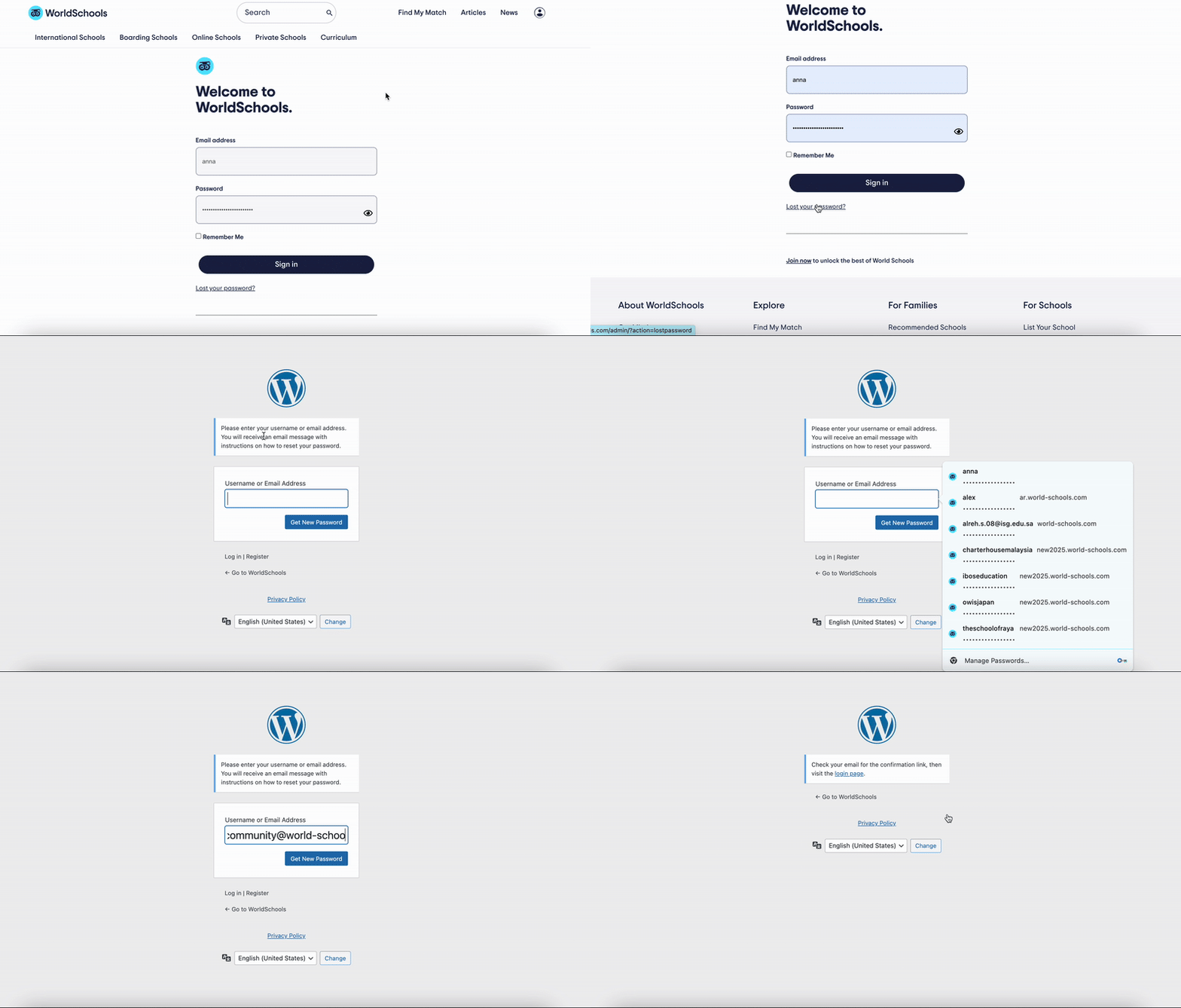
lostpassword


Check Your Email and Set a New Password

You will receive an email with a password reset link.

  • Open the email from World Schools
  • Click the link and follow the instructions to set a new password
  • Choose a secure password you haven’t used before

Update Password within your Dashboard

Access the Login & Security Section

From your School Dashboard, locate and click on the “Login & Security” tile. This section allows you to manage your login credentials, including your password.
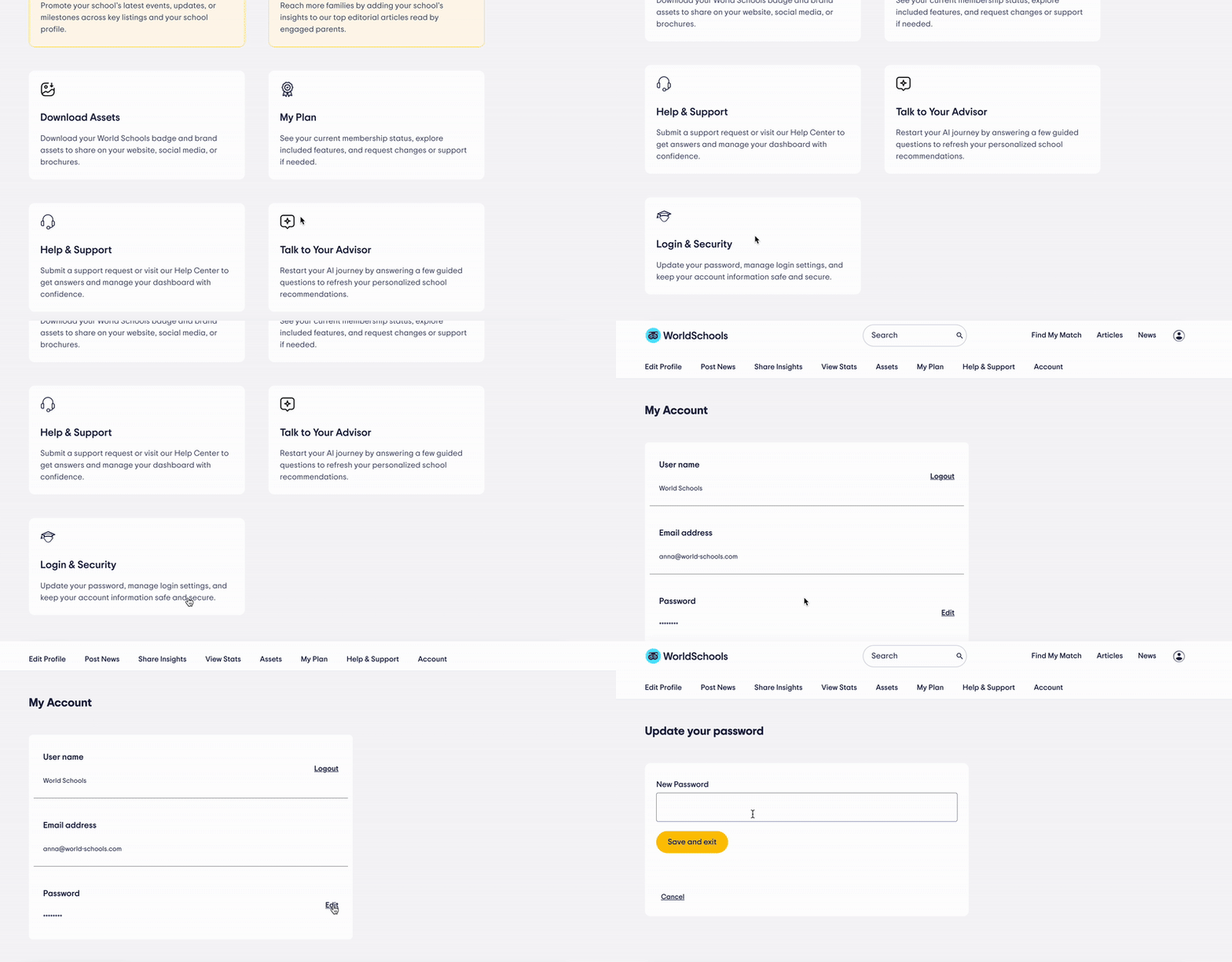
update password

Update Your Password

Once inside the Login & Security section, look for the “Password” row.

Click the “Edit” button next to it.
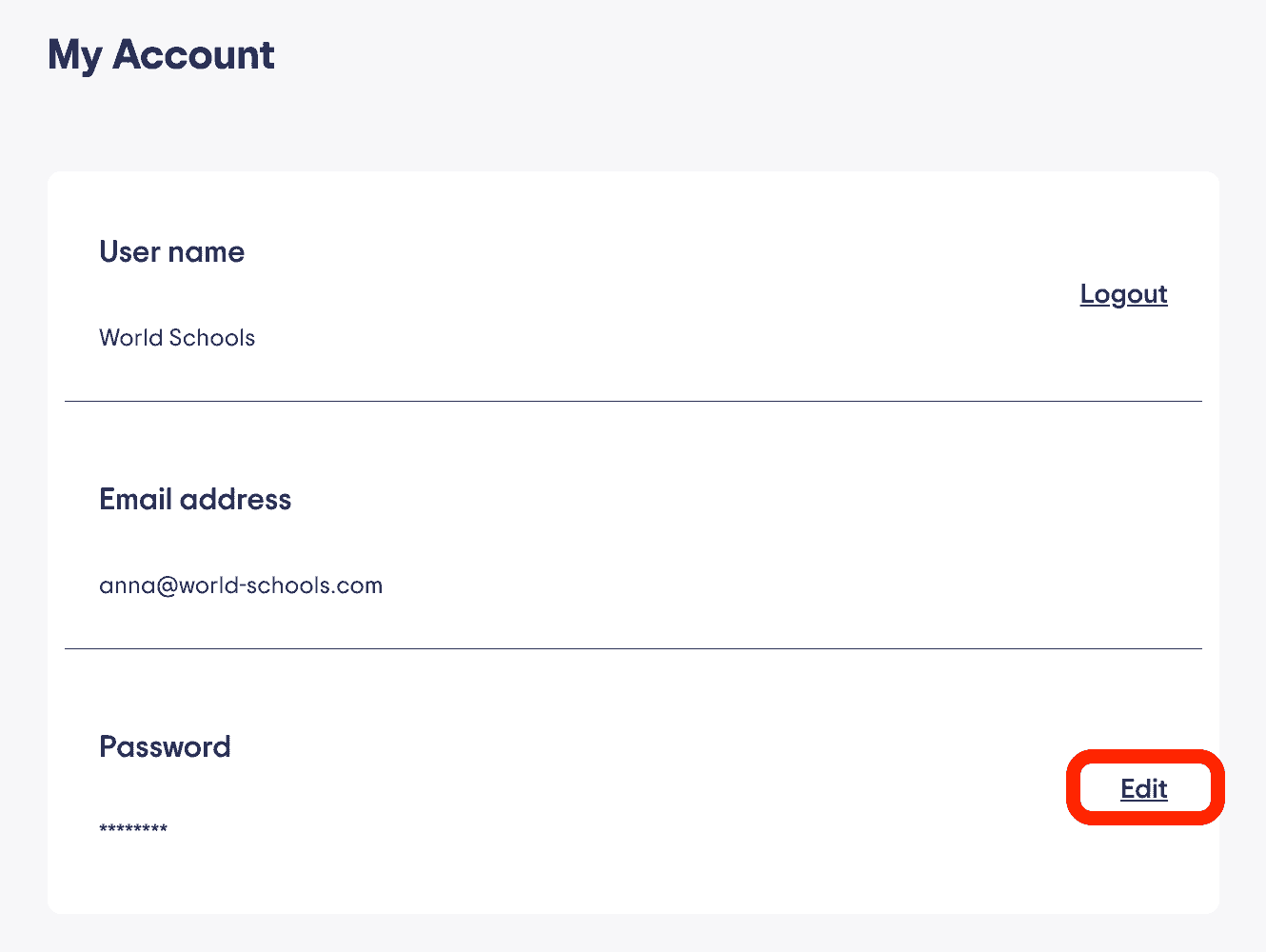
edit password

Save Changes

Enter your new password in the field provided.

When you’re done, click “Save and Exit” to apply the changes.
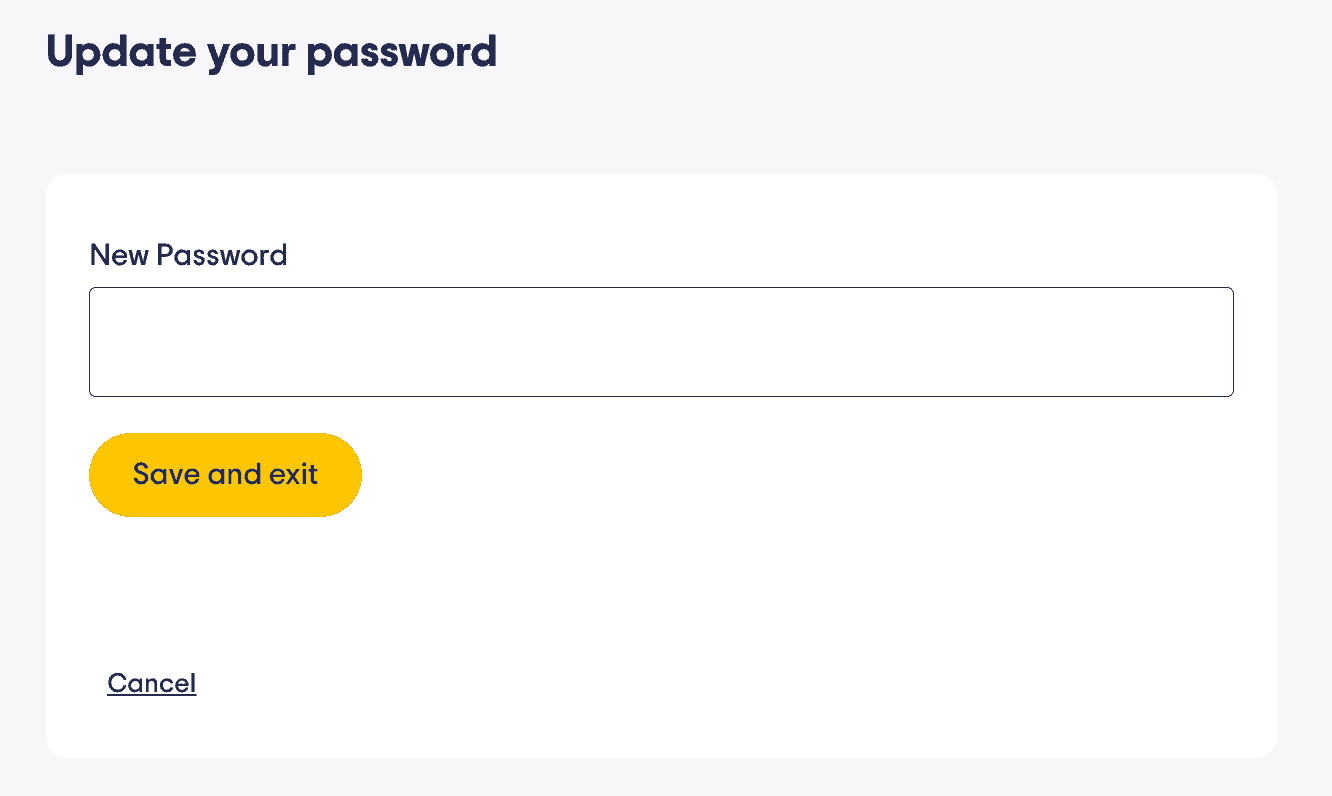
Secure international school environment at World Schools for global student success.

Change email address

If you need to change the email address associated with the school profile you need to contact us. Feel free to do so from the Help Center or email directly at community@world-schools.com.

Need Help?

If you don’t receive the reset email or need assistance:

  • Contact us at community@world-schools.com
  • Or reach out to your account manager directly

⬆ Back to Top

Table of contents

Need our help?

Contact our support team or reach out to your account manager.
Contact us

Related Articles

Managing Your Profile
Write 3 Compelling Reasons Why Families Choose Your School
Getting Started
Tips for Optimizing Your School Profile
Your Plan & Features
How to Upgrade Your Membership
  • International Schools
  • Boarding Schools
  • Online Schools
  • Private Schools
  • IB Schools
  • Find My Match
  • Articles
  • News
  • Login

About WorldSchools

  • Our Mission
  • Our Story
  • What We Offer
  • Why Choose Us
  • Join Our Community

Explore

  • Find My Match
  • Boarding Schools
  • International Schools
  • Online Schools
  • Private Schools

For Families

  • Recommended Schools
  • Update your preferences
  • Find the Best Camps with WorldCamps
  • Login

For Schools

  • List Your School
  • Edit Your Profile
  • Help & Support
  • Dashboard
  • Login

© 2026 World Schools Sarl All rights reserved.

  • Privacy Policy
  • Terms of Use
  • List Your School
English
English Arabic Chinese Dutch French German Italian Japanese Polish Portuguese Russian Spanish Korean Turkish