

Where to Find the Login Option
To log in to your school account:
-
Blader naar de voettekst of any page on the Website Wereldscholen.
-
Klik op Login of Dashboard.
Entering Your Login Credentials
After clicking the login link, you’ll be redirected to the login page.
-
Enter your username of email address
-
Voer uw password
-
Klik op Login to access your dashboard
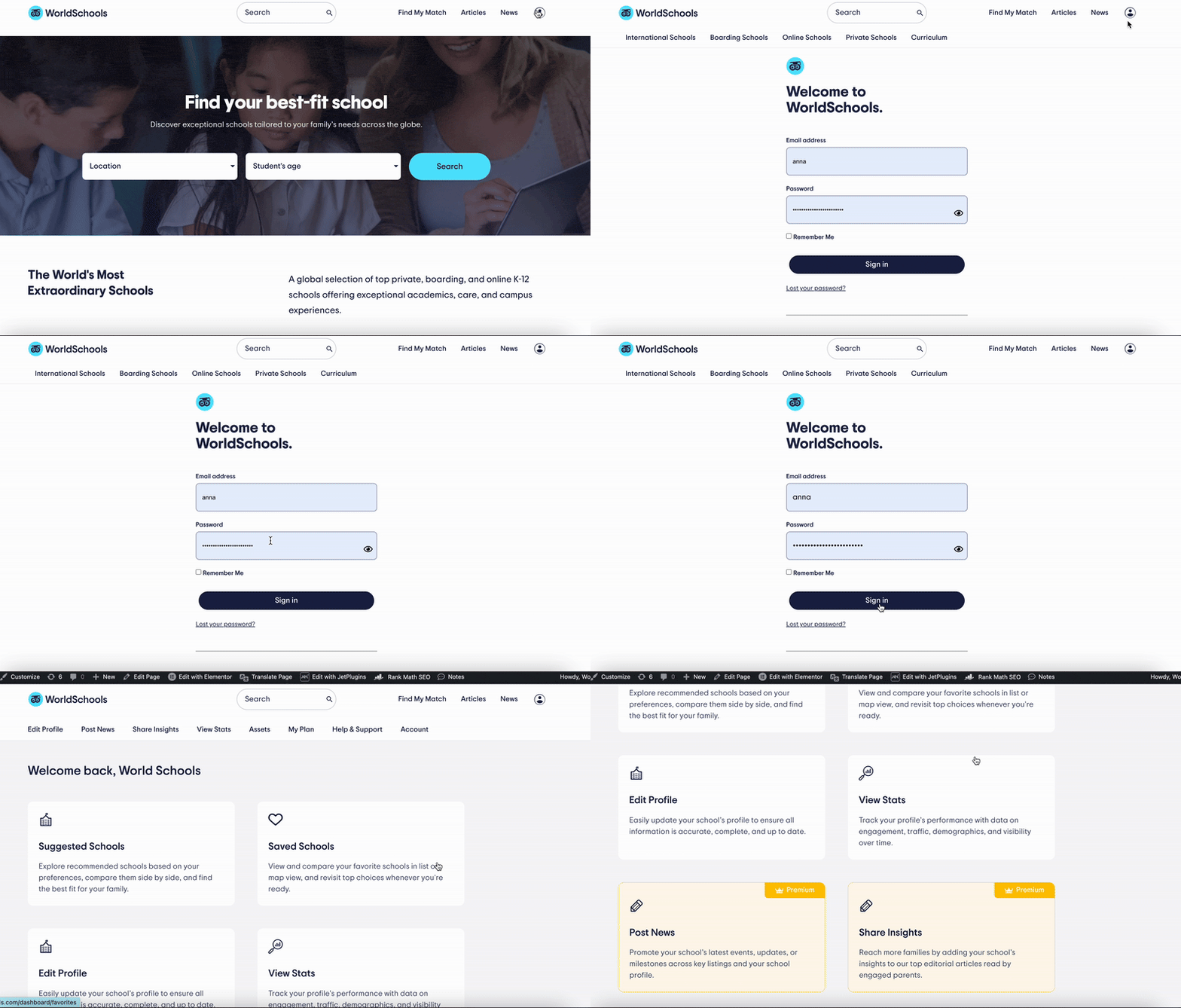
Make sure your credentials are entered correctly. Both fields are case-sensitive.
Troubleshooting Login Issues
If you’re having trouble logging in:
-
Double-check that your email and password are correct
-
If you forgot your password, click on “Wachtwoord kwijt?” to reset it
-
Still having issues? Contact our support team (see below)
Hulp nodig?
If you’re experiencing login issues or need support accessing your dashboard:
📩 Email us at community@world-schools.com.
💬 Or reach out to your account manager for direct assistance.
Let me know when your GIFs are ready—I’m happy to help insert and caption them!