
Ir al contenido
Logotipo de los Colegios del MundoLogotipo de los Colegios del Mundo
  • Recomiéndame
  • Artículos
  • News
  • Escuelas internacionales
  • Internados
  • Escuelas en línea
  • Escuelas privadas
  • Plan de estudios
    • Colegios IB
    • Escuelas con currículo estadounidense
    • Escuelas con currículo británico
    • Escuelas Montessori
    • Escuelas con currículo alemán
    • Escuelas con currículo francés
Logotipo de los Colegios del MundoLogotipo de los Colegios del Mundo
Recomiéndame
Recomiéndame

Hogar > How to Update Your Password

Administración escolar > Cuenta y seguridad

How to Update Your Password

If you’ve forgotten your password or can’t log in, follow these steps to securely reset your credentials and regain access to your school dashboard.
En este artículo

Reset Lost Password

Go to the Login Page

Start by navigating to the login area:

  • Desplácese hasta el pie de página of the Sitio web de los Colegios del Mundo
  • Haga clic en Acceso o Panel to reach the login screen

Click “Lost Your Password?”

On the login screen:

  • Click the link labeled “¿Has perdido tu contraseña?” below the login form

lost password


Submit Your Email Address

You’ll be asked to enter the email address associated with your account.

  • Escriba su email
  • Haga clic en “Reset Password”
  • You’ll see a confirmation message if the email is recognized
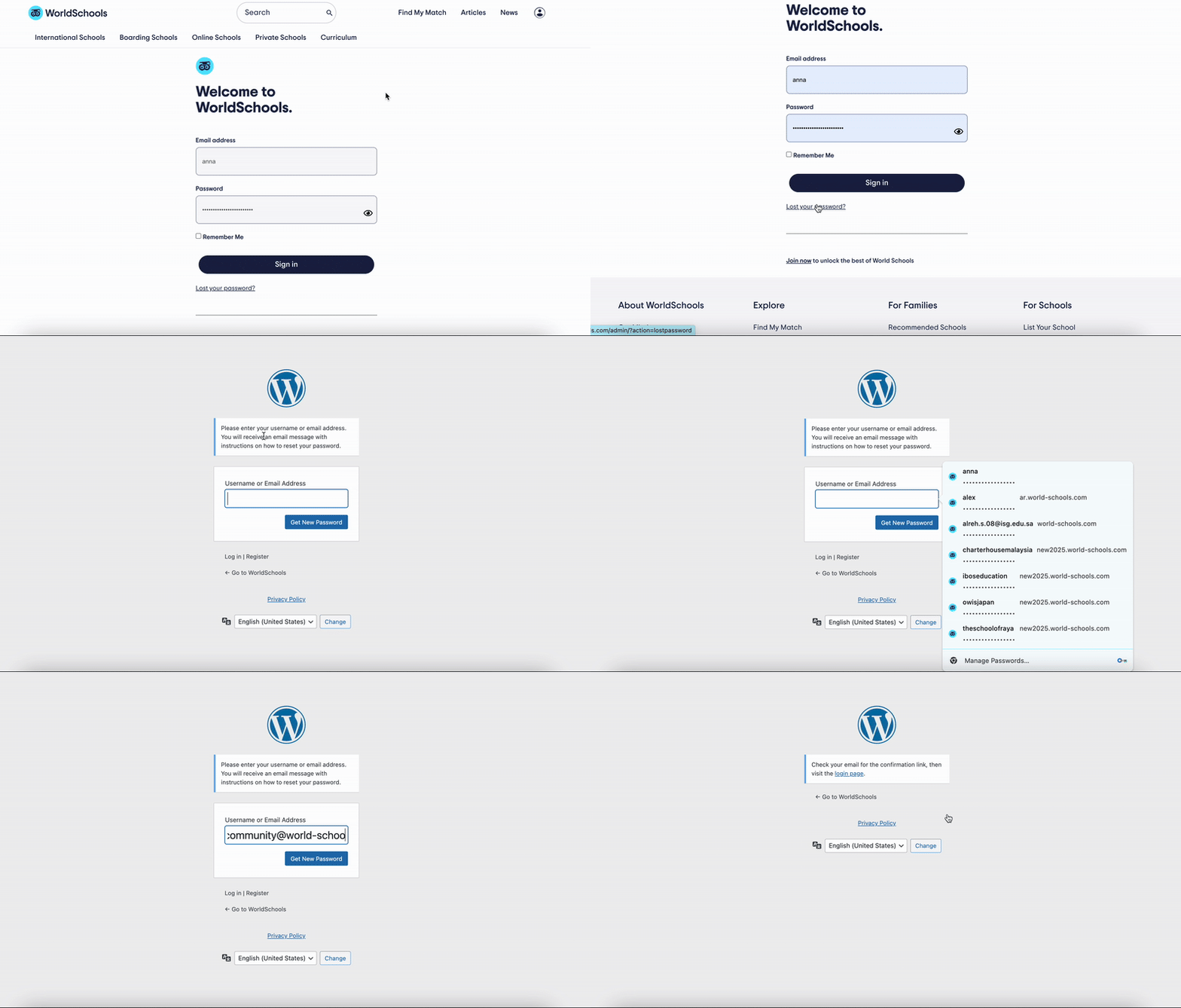
lostpassword


Check Your Email and Set a New Password

You will receive an email with a password reset link.

  • Open the email from World Schools
  • Click the link and follow the instructions to set a new password
  • Choose a secure password you haven’t used before

Update Password within your Dashboard

Access the Login & Security Section

From your School Dashboard, locate and click on the “Login & Security” tile. This section allows you to manage your login credentials, including your password.
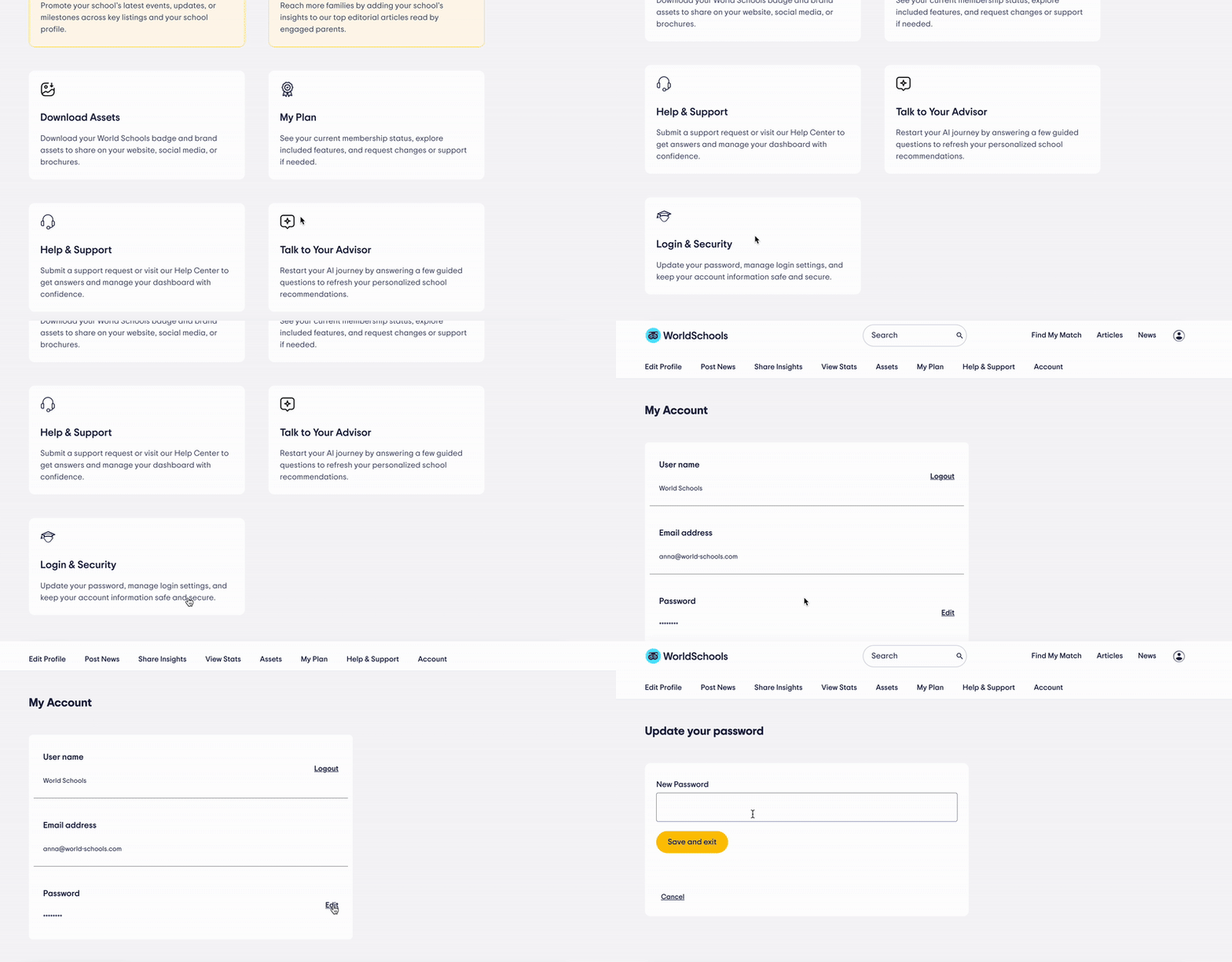
update password

Update Your Password

Once inside the Login & Security section, look for the “Password” row.

Click the “Edit” button next to it.
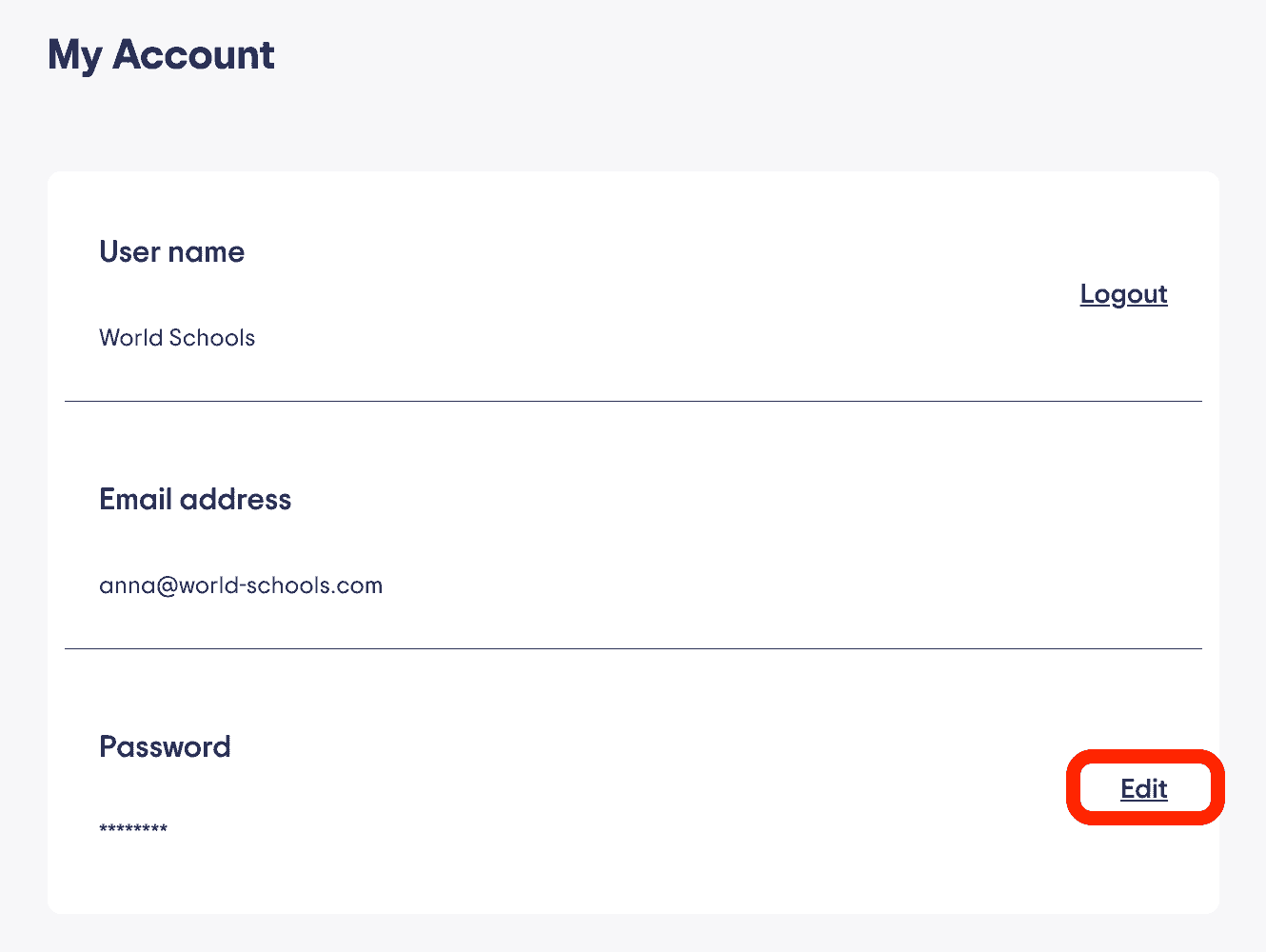
edit password

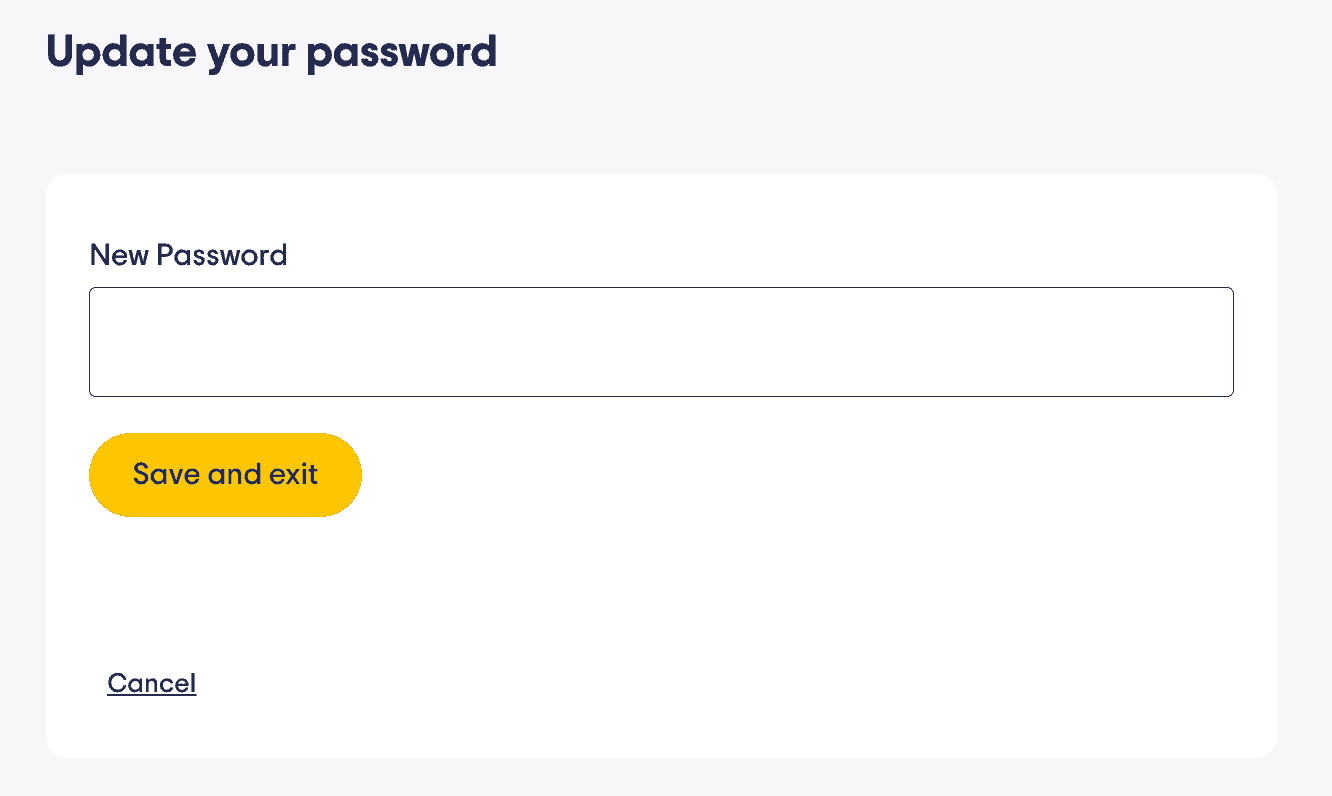
Save Changes

Enter your new password in the field provided.

When you’re done, click “Save and Exit” to apply the changes.
Secure international school environment at World Schools for global student success.

Change email address

If you need to change the email address associated with the school profile you need to contact us. Feel free to do so from the Centro de ayuda or email directly at community@world-schools.com.

¿Necesita ayuda?

If you don’t receive the reset email or need assistance:

  • Contact us at community@world-schools.com
  • Or reach out to your account manager directly

⬆ Volver arriba

Índice

¿Necesita ayuda?

Póngase en contacto con nuestro equipo de asistencia o con su gestor de cuenta.
Póngase en contacto con nosotros

Artículos relacionados

Gestión de su perfil
Escriba 3 razones convincentes por las que las familias eligen su escuela
Primeros pasos
Tips for Optimizing Your School Profile
Su plan y características
Cómo actualizar su afiliación
  • Escuelas internacionales
  • Internados
  • Escuelas en línea
  • Escuelas privadas
  • Colegios IB
  • Recomiéndame
  • Artículos
  • News
  • Acceso

Acerca de WorldSchools

  • Nuestra misión
  • Nuestra historia
  • Lo que ofrecemos
  • ¿Por qué elegirnos?
  • Únase a nuestra comunidad

Explorar

  • Recomiéndame
  • Internados
  • Escuelas internacionales
  • Escuelas en línea
  • Escuelas privadas

Para familias

  • Escuelas recomendadas
  • Actualiza tus preferencias
  • Encuentra los mejores campamentos con Campamentos mundiales
  • Acceso

Para escuelas

  • Enumere su escuela
  • Editar tu perfil
  • Ayuda y soporte
  • Panel
  • Acceso

2026 World Schools Sarl Todos los derechos reservados.

  • política de privacidad
  • Condiciones de uso
  • Enumere su escuela
Spanish
Spanish English Arabic Chinese Dutch French German Italian Japanese Polish Portuguese Russian Korean Turkish