

There are three easy ways to access the Help Center once you’re logged in to your account. From there, you can submit a support request or browse helpful articles to find answers, troubleshoot issues, and manage your school dashboard with confidence.
Access Help & Support from the Dashboard
From your School Dashboard:
- Locate the Help & Support box
- Click to open the Help Center
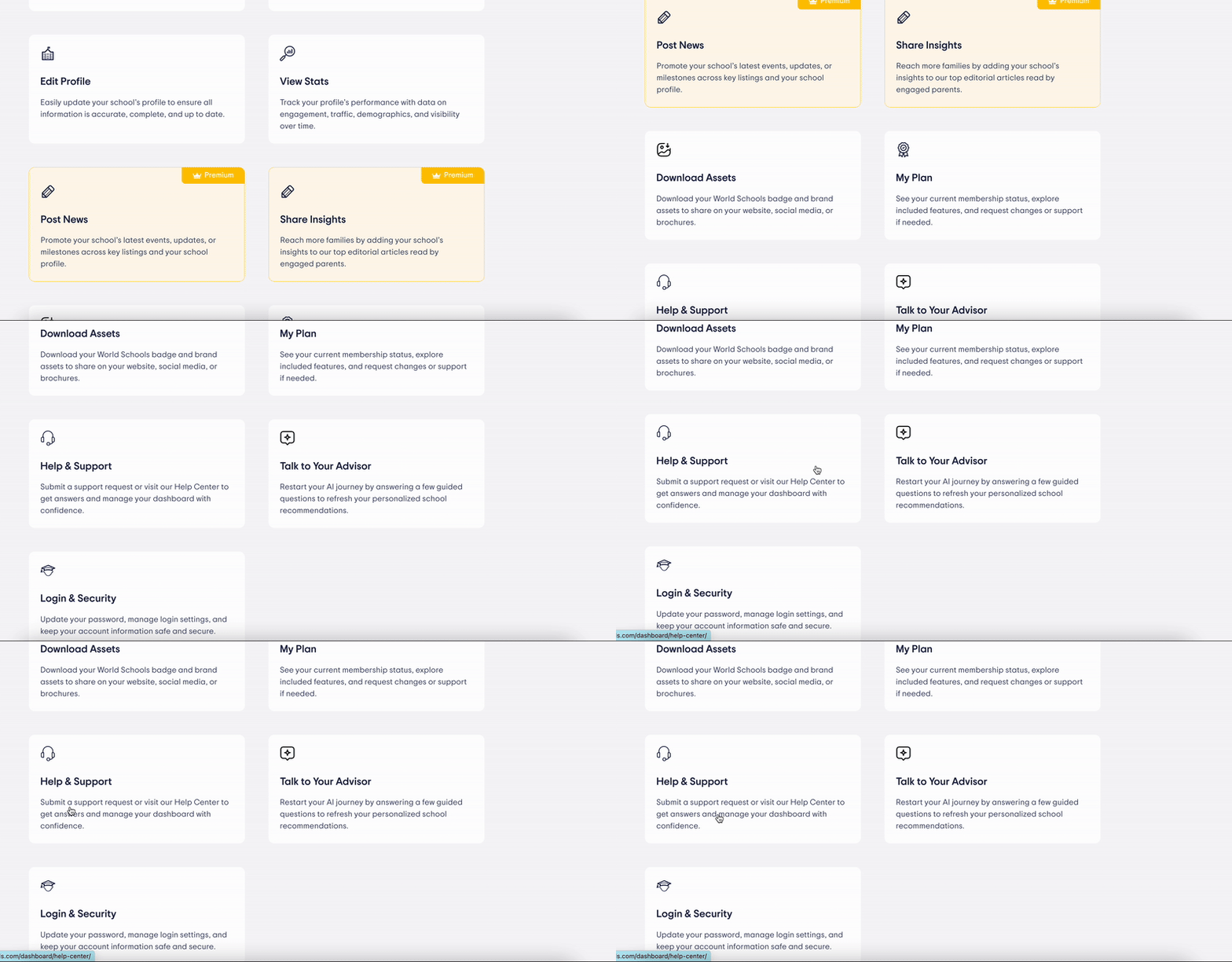
Ways to get Help and contact Support
Use the Top Navigation Tab
You can also access Help & Support from the main menu:
- Click the Help & Support tab in the top navigation bar
- This will take you directly to the Help Center

Find Help from the Account Dropdown
Once logged in:
- Click your account icon in the top-right corner
- Select Help & Support from the dropdown
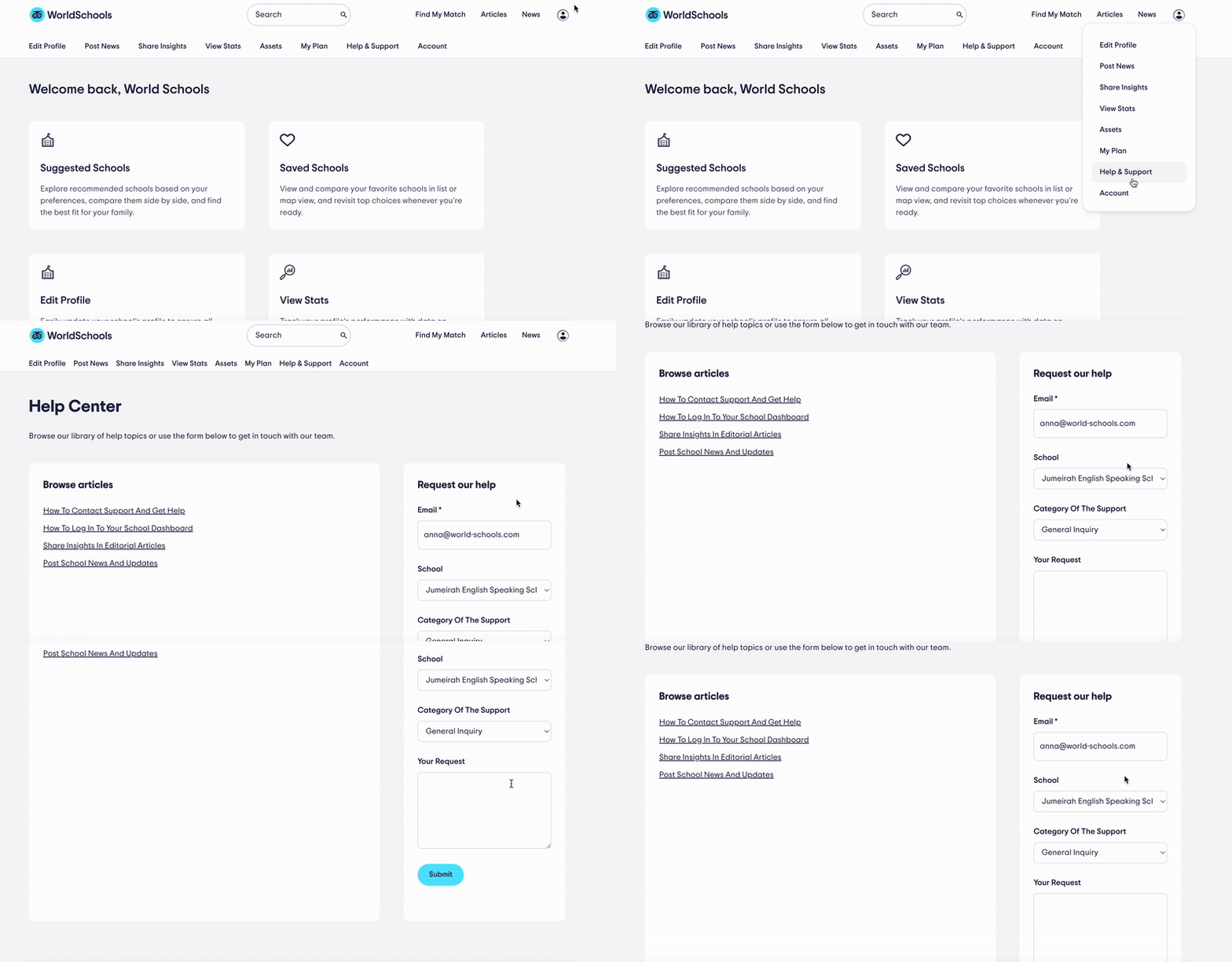
Submit a Request via the Contact Form
Once you’re in the Help Center, the Contact Form is located on the right side of the page.
To submit a request, fill in the following fields:
- Email: Your preferred contact email
- School: The name of your school
- Category of Support: Select the topic that best fits your request
- Your Request: Briefly describe your issue, question, or feedback
Click 提出する, and our team will get back to you shortly.
Still Need Assistance?
- You can also email us directly at community@world-schools.com
- Or reach out to your account manager directly